There are lots of JWT libraries out there. My favorite one to reach for is auth0/java-jwt. It’s popular and easy to use.
GitHub - auth0/java-jwt: Java implementation of JSON Web Token (JWT) *Examples - code samples for common java-jwt scenarios. Docs site - explore our docs site and learn more about Auth0…*github.com
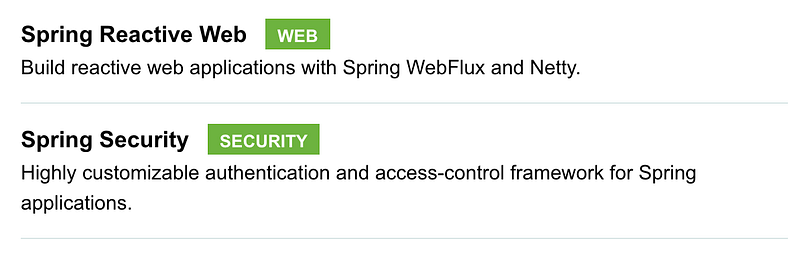
For this project I picked Spring Reactive Web and Spring Security as dependencies.
pom.xml — here are the main dependencies I’m using.
<dependency>
  <groupId>org.springframework.boot</groupId>
  <artifactId>spring-boot-starter-security</artifactId>
</dependency>

<dependency>
  <groupId>org.springframework.boot</groupId>
  <artifactId>spring-boot-starter-webflux</artifactId>
</dependency>

<dependency>
  <groupId>com.auth0</groupId>
  <artifactId>java-jwt</artifactId>
  <version>4.2.1</version>
</dependency>
application.yaml — a few things I like to keep configurable for the token: the secret key, the issuer name, and how long the token lasts.
app:
  token:
    secret: SOME_RANDOM_SECRET_FOR_SIGNING_JWT
    issuer: SOME_NAME_FOR_ISSER_JWT
    expires-minute: 5
SecurityConfig.java — the main idea here is to plug in a custom Security Context Repository. This config also shows how I leave some public paths open and lock down everything else.
import org.springframework.context.annotation.Bean;
import org.springframework.security.config.annotation.web.reactive.EnableWebFluxSecurity;
import org.springframework.security.config.web.server.ServerHttpSecurity;
import org.springframework.security.crypto.bcrypt.BCryptPasswordEncoder;
import org.springframework.security.crypto.password.PasswordEncoder;
import org.springframework.security.web.server.SecurityWebFilterChain;

@EnableWebFluxSecurity
public class SecurityConfig {

    private static final String[] PUBLIC = {"/", "/favicon.ico", "/actuator/health", "/anonymous/login", "/anonymous/register"};

    private final TokenSecurityContextRepository securityContextRepository;

    public SecurityConfig(TokenSecurityContextRepository securityContextRepository) {
        this.securityContextRepository = securityContextRepository;
    }

    @Bean
    public PasswordEncoder passwordEncoder() {
        return new BCryptPasswordEncoder();
    }

    @Bean
    public SecurityWebFilterChain securityWebFilterChain(ServerHttpSecurity http) {
        return http

                .csrf().disable()

                .formLogin().disable()

                .httpBasic().disable()

                .securityContextRepository(securityContextRepository)

                .authorizeExchange().pathMatchers(PUBLIC).permitAll().anyExchange().authenticated()

                .and().build();
    }

}
TokenSecurityContextRepository.java — this one reads the Authorization header, checks for a Bearer token, and hands it off to my custom Authentication Manager.
import org.springframework.http.HttpHeaders;
import org.springframework.security.authentication.UsernamePasswordAuthenticationToken;
import org.springframework.security.core.context.SecurityContext;
import org.springframework.security.core.context.SecurityContextImpl;
import org.springframework.security.web.server.context.ServerSecurityContextRepository;
import org.springframework.stereotype.Component;
import org.springframework.web.server.ServerWebExchange;
import reactor.core.publisher.Mono;

@Component
public class TokenSecurityContextRepository implements ServerSecurityContextRepository {

    private final TokenAuthenticationManager manager;

    public TokenSecurityContextRepository(TokenAuthenticationManager authManager) {
        this.manager = authManager;
    }

    @Override
    public Mono<Void> save(ServerWebExchange exchange, SecurityContext context) {
        return Mono.empty();
    }

    @Override
    public Mono<SecurityContext> load(ServerWebExchange exchange) {
        return Mono.justOrEmpty(exchange.getRequest().getHeaders().getFirst(HttpHeaders.AUTHORIZATION))

                .filter(header -> header.startsWith("Bearer "))

                .flatMap(header -> {
                    final String token = header.substring(7);
                    UsernamePasswordAuthenticationToken auth = new UsernamePasswordAuthenticationToken(token, token);
                    return this.manager.authenticate(auth).map(SecurityContextImpl::new);
                });
    }

}
TokenAuthenticationManager.java — this custom Authentication Manager takes the token it captured, verifies the JWT, and turns it into a UsernamePasswordAuthenticationToken.
import com.auth0.jwt.interfaces.DecodedJWT;
import org.springframework.security.authentication.ReactiveAuthenticationManager;
import org.springframework.security.authentication.UsernamePasswordAuthenticationToken;
import org.springframework.security.core.Authentication;
import org.springframework.security.core.authority.SimpleGrantedAuthority;
import org.springframework.stereotype.Component;
import reactor.core.publisher.Mono;

import java.util.List;
import java.util.Objects;
import java.util.function.Function;

@Component
public class TokenAuthenticationManager implements ReactiveAuthenticationManager {

    private final Tokenizer tokenizer;

    public TokenAuthenticationManager(Tokenizer tokenizer) {
        this.tokenizer = tokenizer;
    }

    @Override
    public Mono<Authentication> authenticate(Authentication authentication) {
        return Mono.justOrEmpty(authentication.getCredentials())

                .filter(Objects::nonNull)

                .flatMap((Function<Object, Mono<DecodedJWT>>) credential -> tokenizer.verify((String) credential))

                .flatMap((Function<DecodedJWT, Mono<UsernamePasswordAuthenticationToken>>) decodedJWT -> {
                    String userId = decodedJWT.getClaim("principal").asString();
                    String role = decodedJWT.getClaim("role").asString();
                    List<SimpleGrantedAuthority> authorities = List.of(new SimpleGrantedAuthority(role));
                    return Mono.just(new UsernamePasswordAuthenticationToken(userId, null, authorities));
                });
    }

}
Tokenizer.java — this little helper does both jobs: creating tokens and verifying them. I’m using HMAC256 to sign and check the token.
import com.auth0.jwt.JWT;
import com.auth0.jwt.JWTVerifier;
import com.auth0.jwt.algorithms.Algorithm;
import com.auth0.jwt.interfaces.DecodedJWT;
import org.springframework.beans.factory.annotation.Value;
import org.springframework.stereotype.Component;
import reactor.core.publisher.Mono;

import java.util.Calendar;
import java.util.Date;

@Component
public class Tokenizer {

    @Value("${app.token.secret}")
    private String secret;

    @Value("${app.token.issuer}")
    private String issuer;

    @Value("${app.token.expires-minute}")
    private int expires;

    public String tokenize(String userId) {
        Calendar calendar = Calendar.getInstance();
        calendar.add(Calendar.MINUTE, expires);
        Date expiresAt = calendar.getTime();

        return JWT.create()

                .withIssuer(issuer)

                .withClaim("principal", userId)

                .withClaim("role", "USER")

                .withExpiresAt(expiresAt)

                .sign(algorithm());
    }

    public Mono<DecodedJWT> verify(String token) {
        try {
            JWTVerifier verifier = JWT.require(algorithm()).withIssuer(issuer).build();
            return Mono.just(verifier.verify(token));
        } catch (Exception e) {
            return Mono.empty();
        }
    }

    private Algorithm algorithm() {
        return Algorithm.HMAC256(secret);
    }

}
That’s enough for configuration, let’s implement simple REST Controller to allow user login and registration.
AnonymousApi.java — this is the public API, opened up back in SecurityConfig.java.
For the login API, I look up the user by email, check the password against the stored (encoded) one, generate a JWT, and return it with HTTP OK (200). If it fails, I return HTTP Unauthorized (401).
The register API is optional and really depends on your own business rules. Here I just validate the email, make sure it isn’t already taken, and create a new user from the given info.
import lombok.extern.log4j.Log4j2;
import org.springframework.http.HttpStatus;
import org.springframework.http.ResponseEntity;
import org.springframework.security.crypto.password.PasswordEncoder;
import org.springframework.web.bind.annotation.PostMapping;
import org.springframework.web.bind.annotation.RequestBody;
import org.springframework.web.bind.annotation.RequestMapping;
import org.springframework.web.bind.annotation.RestController;
import reactor.core.publisher.Mono;

import java.util.function.Function;

@Log4j2
@RestController
@RequestMapping("anonymous")
public class AnonymousApi {

    private final Tokenizer tokenizer;

    private final UserRepository userRepository;

    private final PasswordEncoder passwordEncoder;

    public AnonymousApi(Tokenizer tokenizer, UserRepository userRepository, PasswordEncoder passwordEncoder) {
        this.tokenizer = tokenizer;
        this.userRepository = userRepository;
        this.passwordEncoder = passwordEncoder;
    }

    @PostMapping("login")
    public Mono<ResponseEntity<LoginResponse>> login(@RequestBody LoginRequest request) {
        // start with find requested email in DB
        return userRepository.findByEmail(request.getEmail())

                // match password
                .filter(user -> passwordEncoder.matches(request.getPassword(), user.getPassword()))

                // transform to user id
                .map(User::getId)

                // map as desired spec and generate token (JWT)
                .map(userId -> {
                    LoginResponse response = new LoginResponse();
                    response.setToken(tokenizer.tokenize(Long.toString(userId)));
                    return ResponseEntity.ok(response);
                })

                // fail to log in? mark as unauthorized.
                .defaultIfEmpty(ResponseEntity.status(HttpStatus.UNAUTHORIZED).build());
    }

    @PostMapping("register")
    public Mono<ResponseEntity<Void>> register(@RequestBody RegisterRequest request) {
        // find this email in DB
        return userRepository.findByEmail(request.getEmail())

                // default as empty User of doesn't exist in DB
                .defaultIfEmpty(new User())

                // check User object before register user
                .flatMap((Function<User, Mono<User>>) user -> {
                    if (user.getId() != null) {
                        // can't register using requested email because the email is already exists in DB.
                        // so, we return empty Mono to be handled in next operation
                        return Mono.empty();
                    }

                    // ready to create new user from requested information
                    // generate new password
                    final String password = Long.toString(System.currentTimeMillis());

                    // FIXME: do not log the password in console. Please apply another approach to get password eg. send email for activation account
                    log.info(request.getEmail() + " / " + password);

                    // draft new entity
                    User entity = new User();
                    entity.setEmail(request.getEmail());
                    entity.setName(request.getName());
                    entity.setPassword(passwordEncoder.encode(password));

                    // save entity, any error will be handled in onErrorResume
                    return userRepository.save(entity);
                })

                // in case that we can save User, return HTTP 201
                .map(new Function<User, ResponseEntity<Void>>() {
                    @Override
                    public ResponseEntity<Void> apply(User user) {
                        return ResponseEntity.status(HttpStatus.CREATED).build();
                    }
                })

                // in case that we got empty Mono from previous operation, which mean requested email is already exists in DB.
                // so, throw an exception for duplicated email
                .switchIfEmpty(Mono.error(AnonymousException.registerDuplicatedEmail()))

                // handle any other exception like SQLException and Bad SQL Grammar Exception
                .onErrorResume(Mono::error);
    }

}
UserApi.java — this is the secured API, locked down by the rules in SecurityConfig.java.
The simple getProfile method is an HTTP GET that returns the current authentication. Spring authenticates it automatically through TokenAuthenticationManager as long as the Authorization header is set and the token is still valid.
import lombok.extern.log4j.Log4j2;
import org.springframework.http.ResponseEntity;
import org.springframework.security.core.Authentication;
import org.springframework.web.bind.annotation.GetMapping;
import org.springframework.web.bind.annotation.RequestMapping;
import org.springframework.web.bind.annotation.RestController;
import reactor.core.publisher.Mono;

import java.util.Objects;
import java.util.function.Function;

@Log4j2
@RestController
@RequestMapping("user")
public class UserApi {

    private final UserRepository userRepository;

    public UserApi(UserRepository userRepository) {
        this.userRepository = userRepository;
    }

    @GetMapping
    public Mono<ResponseEntity<MUser>> getProfile(Authentication authentication) {
        return Mono.justOrEmpty(authentication)

                .filter(Objects::nonNull)

                .switchIfEmpty(Mono.error(UserException.unauthorized()))

                .map(auth -> (String) auth.getPrincipal())

                .flatMap((Function<String, Mono<User>>) userId -> userRepository.findById(Long.parseLong(userId)))

                .map(user -> {
                    MUser model = new MUser();
                    model.setEmail(user.getEmail());
                    model.setName(user.getName());
                    return model;
                })

                .switchIfEmpty(Mono.error(UserException.unauthorized()))

                .map(ResponseEntity::ok);
    }

}
UserRepository.java
import org.springframework.data.repository.reactive.ReactiveCrudRepository;
import reactor.core.publisher.Mono;

public interface UserRepository extends ReactiveCrudRepository<User, Long> {

    Mono<User> findByEmail(String email);

}
User.java
import lombok.Data;
import org.springframework.data.annotation.Id;
import org.springframework.data.relational.core.mapping.Table;

@Data
@Table("m_user")
public class User {

    @Id
    private Long id;

    private String email;

    private String password;

    private String name;

}
schema.sql
CREATE TABLE public.m_user
(
    id SERIAL NOT NULL,
    email character varying(60) NOT NULL,
    password character varying(120) NOT NULL,
    name character varying(60) NOT NULL,
    PRIMARY KEY (id)
);

ALTER TABLE IF EXISTS public.m_user
    OWNER to postgres;
Wrap-up — this is just one way to do Spring Boot WebFlux Security with JWT out of many. Feel free to try it at home :P
Have fun !