DevTools reloads your Spring Boot app automatically when you change your code. First, make sure you have the Spring Boot DevTools dependency in your pom.xml.
<dependency>
   <groupId>org.springframework.boot</groupId>
   <artifactId>spring-boot-devtools</artifactId>
   <scope>runtime</scope>
   <optional>true</optional>
</dependency>
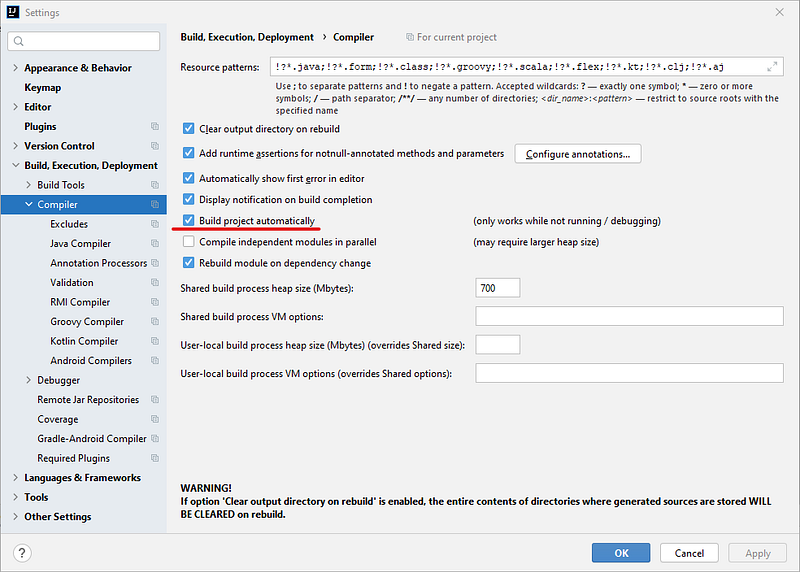
Step 1 — Enable “Build project automatically”
Open Settings > Build, Execution, Deployment > Compiler.
Step 2 — Open the Registry
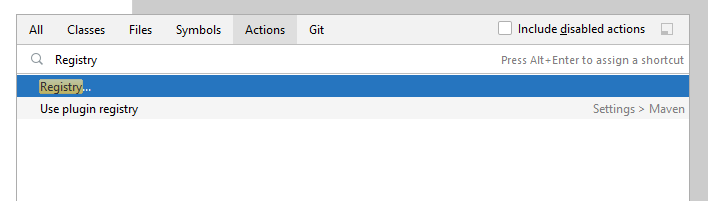
Press Ctrl + Shift+ A, search for Registry, then press Enter.
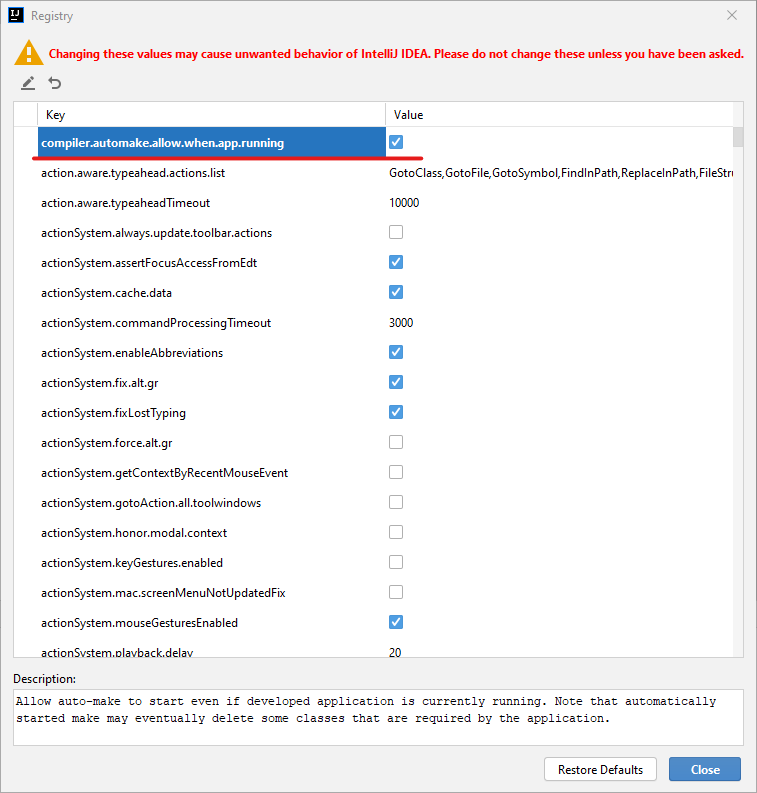
Step 3 — Enable auto make while the app is running
Find compiler.automake.allow.when.app.running and check the checkbox.
That’s it!
Now make a change to your source code and press Ctrl + S.
IntelliJ IDEA will re-compile and update everything for you.
Happy Coding